Managed care · Costa Rica
Managed WiFi and network service in Costa Rica
A network is not finished when the installer leaves. Our managed WiFi and network service in Costa Rica keeps UniFi networks monitored, updated and documented, so you are not the one troubleshooting from another country or in the middle of a working day.
What is a managed network service?
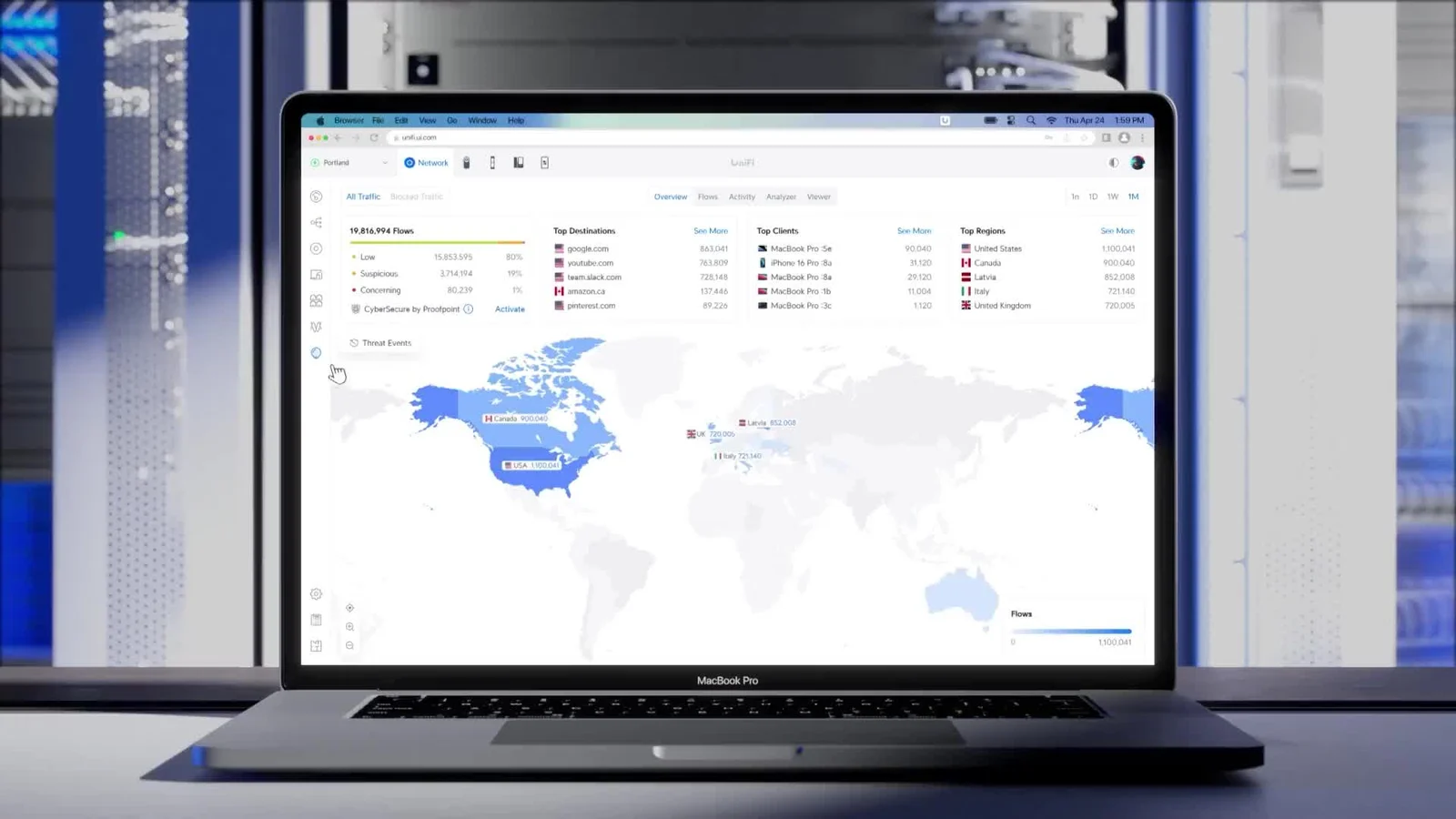
It is the ongoing part of the work. Your UniFi network reports its status to a cloud console; with your permission, we watch it, keep it current and handle changes. You keep ownership of everything: the equipment, the UniFi account and the documentation stay in your name, and our access is an admin role you can remove.
It suits owners who live abroad for part of the year, vacation rentals between guests, and small businesses without in-house IT.
What do you monitor on a UniFi network?
- Internet lines: outages, failovers to the backup line and recurring drops
- Devices going offline: access points, switches, cameras and the gateway itself
- WiFi quality: interference, overloaded access points and weak spots
- Unusual traffic or unknown devices on networks that should be closed
Many problems show up on the console before anyone on site notices, such as an access point that lost power or a main line that has quietly failed over to the backup.
How are firmware updates handled?
Firmware and configuration changes are reviewed and applied on a schedule, not whenever a device decides to update itself. For rentals, that means between stays; for businesses, outside busy hours. If an update causes trouble, it is rolled back.
What happens when something breaks?
Most fixes happen remotely: restarting a device, changing a setting, moving a client to a better access point. When hardware fails or something physical needs attention, a visit is scheduled with you. Exactly what is covered, and how requests are made, is set out in a written agreement before the service starts.
Can you manage a network that someone else installed?
If it is UniFi, usually yes. We start with a review: what is installed, how it is configured, and what we would change before taking it on. Sometimes that is nothing; sometimes it is a firmware backlog, missing network separation or an access point in the wrong place. You get the findings in writing either way.
How much does managed network care cost?
It is a monthly arrangement sized to the site: the number of devices, the number of internet lines, and whether the property is a home, a rental or a business. Scope and terms are agreed in writing before it starts. If you do not have a network yet, start with whole-home WiFi, vacation rental WiFi or a business network.
We install in Guanacaste, Nosara, Santa Teresa, and in Escazú, Santa Ana and Lindora.
Frequently asked questions
Do you need permanent access to my network?
We use an admin account on your UniFi console, added with your permission. You can see it, limit it or remove it at any time.
What happens if I cancel?
Nothing is held back. The network, the UniFi account and the current documentation stay with you, and our access is removed.
Can you see what I do online?
The console shows devices, connection quality and traffic volumes. It is used to run the network, not to look at your content, and what we can see is set out in the agreement.
Does managed care include guest password changes?
For rentals, yes: guest access changes between stays are one of the reasons the service exists. The exact routine is agreed for your property.
Can managed care start right after an installation?
Yes. It can be added at handover, so the network is monitored from its first day.
Start with an assessment.
Tell us about the property or business and we will come back with next steps. No obligation, and no equipment ordered until you approve a design.
Or message us directly: WhatsApp · +1 646 744 4892 · hello@costaricanetworkco.com